
AmiStreamRaider
A downloadable tool
Watch Twitch streams on the Amiga
 Description
A modern Twitch frontend for AmigaOS 3.2 – featuring search, categories, live channels, favorites, profiles, ARexx automation, and server-based transcoding.
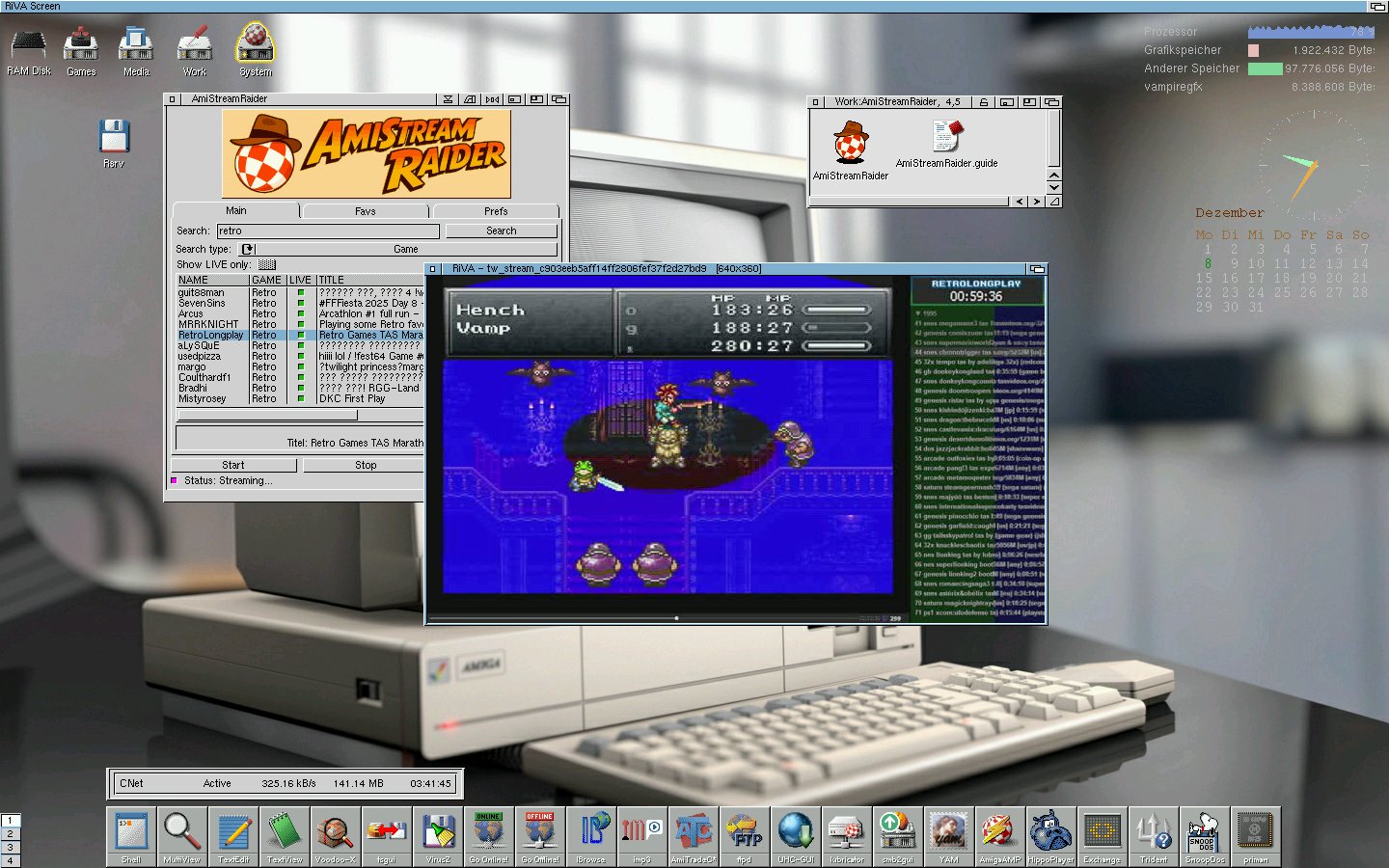
AmiStreamRaider brings a modern Twitch experience to classic Amiga computers.
The app connects to a dedicated server (runs locally inside your home network) that handles Twitch API requests—delivering optimized output for AmigaOS via an RxMUI-based interface.
Features
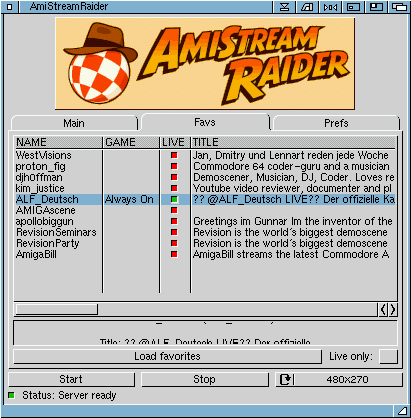
✔ Browse and search Twitch channels and categories
✔ View live channels
✔ Channel details
✔ Favorite channels list
✔ Profile system (scalability from lowend to highend Amigas)
✔ ARexx scripts for automation & external control
✔ Start/Stop streams
✔ Server-side processing of the workload to minimize Amiga overhead
✔ Optimized RiVA version for fast operation on Vampire systems
✔ Communicates with the official Twitch Helix API, no 3rd party proxies involved
✔ Uses streamlink to fetch Twitch video stream
System Requirements
Amiga
- AmigaOS 3.2
- 68040 + AGA (fast 68060/Vampire/PiStorm + RTG highly recommended)
- MUI 3.8
- RxMUI
- ARexx (included in OS3.2)
- TCP/IP stack (Roadshow, Miami, Genesis, etc.)
- fast ethernet connection
- nettools (curl, nc)
- mpega.library
- RiVA MPEG Video Player (included)
- 16/24bit RTG Workbench Screen for Window playback
Server
- x64 or ARM (64Bit) CPU
- 2GB Ram
- Linux, macOS, Windows running Docker Engine + Docker Compose
Installation
Server Installation
Download Docker Image
docker pull cego1200/asrserver:latest
Open ports
AmiStreamRaider needs:
- Port 18080/tcp - API & Control Interface
- Port 5001/tcp - MPEG1 Video Stream
- Port 18083/tcp - Dashboard Web Interface (optional)
If ufw is installed/active (Ubuntu/Debian):
sudo ufw allow 18080/tcpsudo ufw allow 5001/tcpsudo ufw allow 18083/tcpsudo ufw reload
Download docker-compose.yml
wget https://raw.githubusercontent.com/AMIGAbench/amistreamraider/refs/heads/main/docker-compose.yml
Starting the server
docker compose up -d
Stopping the server
docker compose down
Amiga Installation
Installed requirements
- nc (needs ixemul/ixnet library v48)
- curl (needs AmiSSL)
- mpega.library (use non-FPU version)
- RxMUI (needs MUI3.8+TextInput MCC)
AmiStreamRaider
Unpack the AmiStreamRaider.lha and run the installer. Reboot the system after installer is finished.
First steps
User Login
In order to have access to the search function and your favorites list, you have to login to your Twitch user account.
Menu->Authentication->Authenticate Client
Then go to: https://twitch.tv/activate and enter your code
Note: Only user tokens (Access and Refresh tokens) are stored on the server. No passwords or sensitive data will be saved or transmitted.
At GUI startup you should now always see "Signed in as username"
Access tokens expire after 4h and will be refreshed automatically when you restart the server
Good to know
- video playback will freeze during ad breaks
- ad breaks can take between 15 and 180 seconds
- Web Dashboard available at http://yourserverip:18083 for monitoring and control purposes
- always use start and stop buttons to control playback
- latency to the real webstream should be around 10 secs
- wired network connection highly recommended for stable TCP transmition
- Apollo RiVA Version does not support playback on AGA screens
- Read the AmigaGuide for detailed info!
Future
- Add/Remove channels to favorites list
- More encoding profiles
- Thumbnail preview
- Live chat integration
- HTML3.2 FrontEnd (IBrowse compatible)
- more search features
Links
Website: http://www.amigabench.de (IBrowse compatible)
Youtube: https://www.youtube.com/@amigabench
Disclaimer: AmiStreamRaider is provided "as is" without any warranty of any kind, express or implied. The author assumes no responsibility for data loss, hardware damage, or any other issues arising from the use of this software. Twitch is a registered trademark of Amazon.com, Inc. This project is not affiliated with, endorsed by, or supported by Twitch or Amazon in any way. Use this software at your own risk. Streaming performance may vary depending on hardware, network connection, network conditions, and third-party services outside the control of the developer.
Download
Development log
- ARM64 Docker build added!96 days ago

Comments
Log in with itch.io to leave a comment.
Got it running very nice concept and idea ! please more of such apps. runs on OS 3.9 Pistorm CaffeineOS (just need netcat)
thanks! feedback is very much appreciated :)
Please have a look at my other project called AmiVision, which brings IPTV to the Amiga.
More things will be coming soon!